
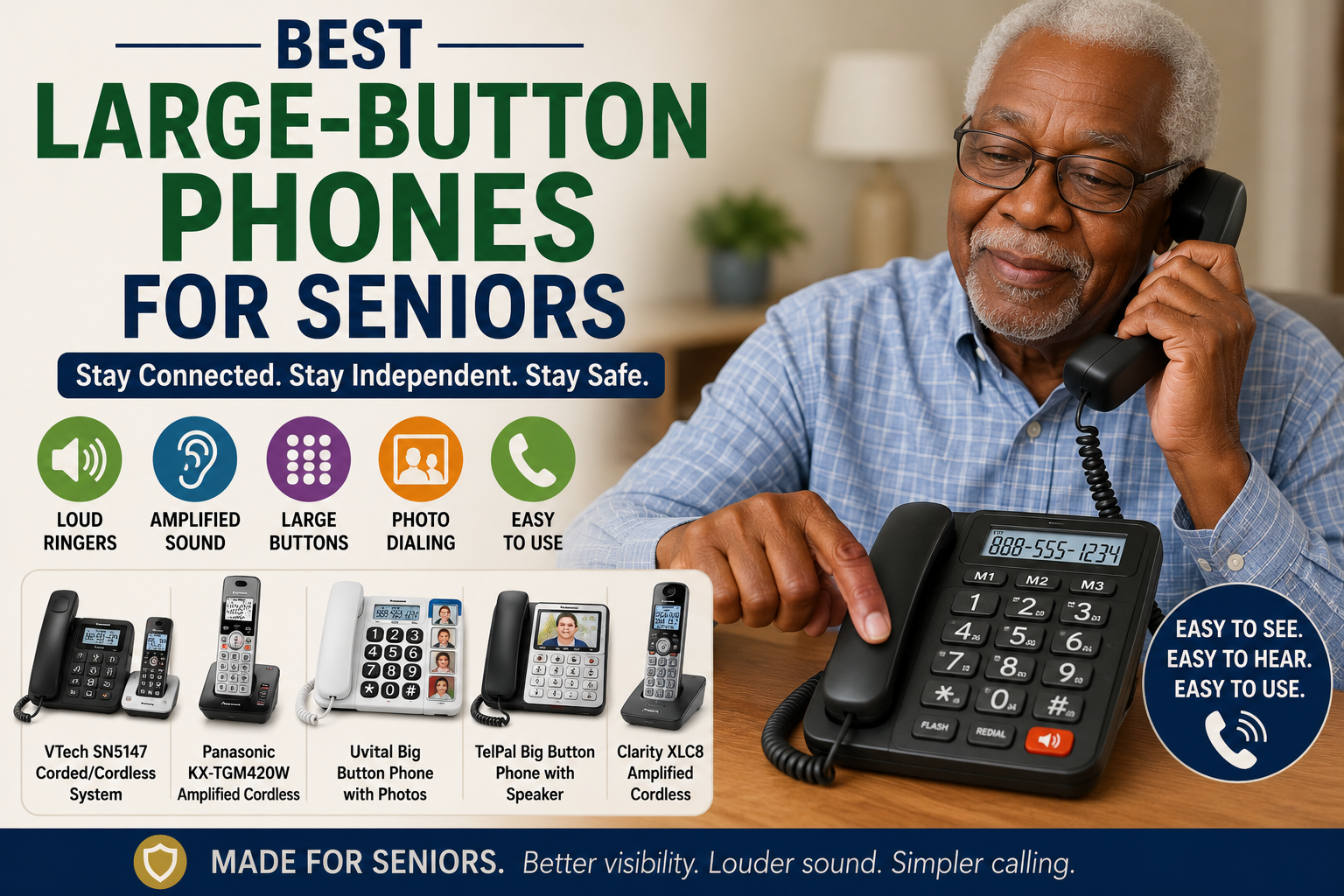
Best Large-Button Phones for Seniors
As an Amazon Associate, I earn from qualifying purchases.
A large-button phone can make calling family, caregivers, doctors, and emergency contacts easier for seniors. These phones are designed with bigger buttons, louder ringers, clearer sound, photo buttons, speakerphone options, and simpler controls.
For many older adults, regular phones can be frustrating. The buttons may be too small, the screen may be hard to read, the ringer may be too quiet, or the menu may feel confusing. A senior-friendly phone can help older adults stay more connected and independent at home.
Large-button phones are especially helpful for seniors with poor vision, hearing loss, arthritis, memory problems, weak hands, tremors, or trouble using smartphones.
Large-button phones work well with other senior-friendly products like hearing aids for seniors, easy-grip pens for seniors, smart calendars for seniors, motion sensor night lights, and reacher grabber tools for seniors.
Below are some of the best large-button phones for seniors.
Quick Picks: Best Large-Button Phones for Seniors
| Product | Best For |
|---|---|
| AT&T CL4940 Corded Standard Phone with Answering System | Best corded large-button phone with answering system |
| Panasonic KX-TGM420W Amplified Cordless Phone | Best amplified cordless phone |
| Uvital Big Button Phone for Seniors | Best simple photo button phone |
| TelPal Big Button Phone with Speaker | Best picture-button landline phone |
| Clarity XLC8 Amplified Cordless Phone | Best premium amplified cordless phone |
| Panasonic KX-TGU432B Cordless Phone with Big Buttons | Best two-handset cordless phone for seniors |
| SOUQDWL Big Button Corded Phone | Best wall-mountable corded phone |
| EBTOOLS Big Button Phone for Seniors | Best simple loud-ringer backup phone |
1. AT&T CL4940 Corded Standard Phone with Answering System
Best for: Seniors who want a dependable corded phone with an answering system
The AT&T CL4940 Corded Standard Phone is a strong choice for seniors who want a simple landline phone that stays in one place. Because it is corded, there is no cordless handset to misplace or forget to charge.
This phone includes a digital answering system, caller ID, call waiting, speakerphone, and an extra-large tilt display. The large display can make it easier for seniors to see incoming call information and review call history.
This can be especially helpful for seniors who want a reliable home phone near a favorite chair, bedside table, kitchen counter, or home office area.
Why seniors may like it:
- Corded phone stays in one place
- Digital answering system
- Extra-large tilt display
- Caller ID and call waiting
- Speakerphone feature
- Good for seniors who misplace cordless phones
Important safety note:
Program important numbers clearly and keep a large-print emergency contact list next to the phone.
Best choice for:
Seniors who want a simple corded phone with answering machine features and an easy-to-read display.
2. Panasonic KX-TGM420W Amplified Cordless Phone
Best for: Seniors who need louder caller volume
The Panasonic KX-TGM420W Amplified Cordless Phone is designed for people affected by mild to moderate hearing loss. It has voice volume boost, tone settings, a loud base unit ringer, bright visual ringers, a large backlit display, and enlarged touch dial keys.
This can be a good option for seniors who can still use a cordless phone but need louder, clearer sound and easier-to-see controls.
The visual ringer can also be helpful for seniors who may not always hear the phone ringing from another room.
Why seniors may like it:
- Amplified caller volume
- Large backlit display
- Enlarged dial keys
- Visual ringers
- Talking caller ID features
- Good for seniors with hearing difficulty
Important safety note:
Amplified volume should be adjusted carefully. Start lower and increase only as needed to avoid uncomfortable sound levels.
Best choice for:
Seniors who want a cordless phone with stronger hearing support.
3. Uvital Big Button Phone for Seniors
Best for: Seniors who need simple one-touch dialing
The Uvital Big Button Phone for Seniors is a simple corded landline phone with large buttons and one-touch emergency dialing. It is designed to make calling easier for seniors who may struggle with small keypads or confusing phone menus.
This type of phone can be helpful for older adults with poor vision, memory concerns, or difficulty dialing long phone numbers.
The photo or one-touch dialing feature can make it easier to call family, caregivers, or emergency contacts quickly.
Why seniors may like it:
- Large high-contrast buttons
- Simple corded design
- One-touch emergency dialing
- Helpful for poor vision
- Good for seniors who dislike smartphones
- Easy to keep in one place
Important safety note:
Program one-touch buttons carefully and test each one. Make sure the senior knows which button calls which person.
Best choice for:
Seniors who need a simple phone with large buttons and easy speed dialing.
4. TelPal Big Button Phone with Speaker
Best for: Seniors who benefit from picture dialing
The TelPal Big Button Phone with Speaker is a corded landline phone with picture-style dialing. Picture buttons can be helpful for seniors who have trouble remembering phone numbers or reading small labels.
Instead of dialing a full number, the senior can press a photo button for a family member, caregiver, neighbor, or emergency contact.
This type of phone may be especially helpful for seniors with memory concerns, vision changes, or confusion with regular keypads.
Why seniors may like it:
- Picture button dialing
- Large buttons
- Speakerphone feature
- Simple corded phone design
- Helpful for memory concerns
- Good for calling family quickly
Important safety note:
Use clear, simple photos and labels. Avoid putting too many numbers on the phone if that confuses the senior.
Best choice for:
Seniors who do better with picture buttons than written phone numbers.
5. Clarity XLC8 Amplified Cordless Phone
Best for: Seniors who want a premium amplified cordless phone
The Clarity XLC8 Amplified Cordless Phone is designed for seniors and adults who need strong amplification and clearer sound. It includes adjustable volume and tone control, making it useful for people who need sound customized to their hearing needs.
This phone may be a good option for seniors who prefer cordless phones but need louder audio than a standard cordless phone provides.
It can also be helpful for seniors who want a more advanced amplified phone and are comfortable using a cordless handset.
Why seniors may like it:
- Amplified cordless design
- Adjustable volume control
- Tone control
- Helpful for hearing loss
- Large-button style
- Good premium option
Important safety note:
Cordless phones must be charged. Keep the handset on the charger when not in use so it is ready when needed.
Best choice for:
Seniors who want a stronger amplified cordless phone for clearer calls.
6. Panasonic KX-TGU432B Cordless Phone with Big Buttons
Best for: Seniors who want a two-handset cordless phone with extra safety features
The Panasonic KX-TGU432B Cordless Phone is designed to be easier for seniors to use. It includes a large display, big buttons, volume boost, talking caller ID, call block, a flashing favorites key, and a built-in flashlight feature.
This set includes two cordless handsets, which can be helpful for placing one phone in the bedroom and another in the living room, kitchen, or near a favorite chair.
The favorites key can help seniors reach important contacts faster, while the volume boost and talking caller ID can make calls easier for seniors with hearing or vision challenges.
Why seniors may like it:
- Two cordless handsets
- Large display and big buttons
- Volume boost
- Talking caller ID
- Call block feature
- Flashing favorites key and flashlight feature
Important safety note:
Keep both cordless handsets charged and place them where the senior can reach them safely.
Best choice for:
Seniors who want easy cordless calling with big buttons, louder sound, and two handsets for different rooms.
7. SOUQDWL Big Button Corded Phone
Best for: Seniors who want a wall-mountable corded phone
The SOUQDWL Big Button Corded Phone is a simple landline phone with large buttons and adjustable ringtone features. It can be placed on a desk or mounted on the wall depending on the home setup.
Wall-mountable phones can be useful in kitchens, hallways, bedrooms, or near a favorite chair if the phone jack and cord placement work safely.
This is a basic option for seniors who want something simple and easy to see.
Why seniors may like it:
- Large button design
- Corded landline phone
- Adjustable ringtone
- Desk or wall-mount option
- Simple calling features
- Good for home backup use
Important safety note:
If wall mounting, make sure the phone cord does not hang where someone can trip over it.
Best choice for:
Seniors who want a simple large-button corded phone that can be wall mounted.
8. EBTOOLS Big Button Phone for Seniors
Best for: Seniors who want a basic phone with loud ringer support
The EBTOOLS Big Button Phone for Seniors is another simple corded landline phone option for older adults. It is designed with large buttons and adjustable ringer volume, which can help seniors who have trouble seeing small numbers or hearing quiet rings.
This type of phone is best for seniors who want a straightforward phone without many extra features.
It can work well as a backup phone in a bedroom, kitchen, or caregiver-monitored area.
Why seniors may like it:
- Large buttons
- Simple corded design
- Adjustable ringer volume
- Good for basic calling
- Helpful for poor vision
- Useful backup phone
Important safety note:
Test the ringer volume from different rooms to make sure the senior can hear it clearly.
Best choice for:
Seniors who want a simple large-button phone with a louder ring.
Why Large-Button Phones Are Helpful for Seniors
Large-button phones can help seniors stay connected without needing to use a smartphone. They can make it easier to call family, caregivers, doctors, pharmacies, neighbors, and emergency contacts.
A large-button phone may help seniors with:
- Poor vision
- Hearing loss
- Arthritis
- Weak hands
- Hand tremors
- Memory concerns
- Confusion with smartphones
- Limited dexterity
- Need for emergency contact access
For seniors who also have trouble hearing conversations, see our guide to hearing aids for seniors.
Corded vs Cordless Large-Button Phones
Both corded and cordless phones can help seniors, but they work differently.
Corded phone:
A corded phone stays in one place and does not need to be charged. This can be helpful for seniors who misplace cordless handsets.
Cordless phone:
A cordless phone can be carried around the home, but it must be charged and can be misplaced.
Corded and cordless combo:
A combo system gives the senior a stable corded base phone plus a cordless handset for moving around the home.
For many seniors, a corded base phone or a two-handset cordless phone is a helpful setup.
Photo Button Phones vs Large Number Phones
Some senior phones have large numbers, while others include photo buttons.
Large number phone:
Best for seniors who can still dial numbers but need bigger buttons.
Photo button phone:
Best for seniors who may not remember phone numbers or who do better pressing a family member’s photo.
One-touch emergency phone:
Best for seniors who need quick access to family, caregivers, or emergency contacts.
If memory is a concern, photo buttons may be more helpful than regular large number buttons.
How to Choose the Best Large-Button Phone for Seniors
1. Think about vision
If the senior has poor vision, look for large high-contrast buttons, large display text, backlit screens, and easy-to-read labels.
2. Think about hearing
If the senior has trouble hearing calls, choose an amplified phone with louder caller volume, tone adjustment, and a loud ringer.
3. Decide if photo buttons are needed
Photo buttons can make calling easier for seniors with memory problems or confusion with numbers.
4. Choose corded, cordless, or both
A corded phone is harder to misplace. A cordless phone is easier to carry around. A two-handset system can make it easier to keep a phone in more than one room.
5. Look for emergency contact features
Some phones have one-touch emergency buttons or speed-dial buttons. These can be helpful if they are programmed and tested correctly.
6. Keep the phone simple
Too many buttons can confuse some seniors. Choose the simplest phone that still meets the senior’s needs.
7. Check compatibility
Make sure the phone works with the senior’s landline, phone service, or home setup before buying.
Large-Button Phone Safety Tips for Seniors
A large-button phone can help, but setup matters.
- Program emergency contacts before use.
- Test all speed-dial and photo buttons.
- Write important numbers in large print near the phone.
- Place the phone where the senior can reach it safely.
- Keep cords away from walking paths.
- Use loud ringer settings if hearing is poor.
- Use photo labels if memory is a concern.
- Keep cordless handsets charged.
- Check voicemail or answering machine settings.
- Review the phone setup regularly with the senior.
For reminders and daily organization, see our guide to smart calendars for seniors.
Best Home Setup With a Large-Button Phone
A senior-friendly phone setup may include:
- Large-button phone
- Programmed speed-dial contacts
- Photo buttons if needed
- Large-print emergency contact list
- Good lighting near the phone
- Chair nearby if standing is difficult
- Motion sensor night light nearby
- Hearing aids or amplified phone if needed
- Calendar with appointment reminders
- Clear walking path to the phone
For safer movement around the home at night, see our guide to motion sensor night lights for seniors.
Frequently Asked Questions
What is the best large-button phone for seniors?
The best large-button phone depends on the senior’s needs. A corded phone may be best for seniors who misplace cordless handsets. A photo button phone may be better for seniors with memory concerns. An amplified phone may be better for hearing loss.
Are large-button phones good for elderly adults?
Yes. Large-button phones can help seniors see numbers more clearly, dial more easily, hear calls better, and contact family or caregivers faster.
What is a photo button phone?
A photo button phone lets the user press a picture of a person to call them. This can be easier than remembering or dialing a full phone number.
Are amplified phones good for seniors with hearing loss?
Amplified phones can help seniors hear calls more clearly by increasing caller volume and ringer volume. Seniors with serious hearing loss may also need hearing aids or professional hearing support.
Is a corded phone better than a cordless phone for seniors?
A corded phone is harder to misplace and does not need charging. A cordless phone is easier to carry around. Many seniors benefit from having both or from using more than one handset.
Can large-button phones call 911?
Most landline phones can call 911 if connected to working phone service. If using speed-dial or emergency buttons, test the setup carefully without placing unnecessary emergency calls.
Do large-button phones need a landline?
Many large-button senior phones are landline phones. Check the product details and make sure it matches the senior’s phone service.
Can seniors use large-button phones with hearing aids?
Some phones are hearing-aid compatible, but features vary. Check the product listing and hearing aid needs before buying.
What features should I look for in a senior phone?
Helpful features include large buttons, loud ringer, amplified volume, caller ID, photo buttons, speakerphone, answering machine, call blocking, and easy speed dial.
Where should a senior phone be placed?
Place the phone somewhere easy to reach, well lit, and away from clutter. Good spots may include the bedroom, kitchen, living room, or beside a favorite chair.
Final Thoughts
A large-button phone can help seniors stay connected, safer, and more independent at home.
For seniors with poor vision, choose large high-contrast buttons and a clear display. For seniors with hearing loss, choose an amplified phone with a loud ringer. For seniors with memory concerns, choose photo buttons or one-touch dialing.
Before buying, think about vision, hearing, memory, hand strength, phone service, and where the phone will be placed.
The right large-button phone can make it easier for seniors to call family, caregivers, doctors, and emergency contacts when they need help.
Product Links
| Product | Link |
|---|---|
| AT&T CL4940 Corded Standard Phone with Answering System | CHECK PRICE ON AMAZON |
| Panasonic KX-TGM420W Amplified Cordless Phone | CHECK PRICE ON AMAZON |
| Uvital Big Button Phone for Seniors | CHECK PRICE ON AMAZON |
| TelPal Big Button Phone with Speaker | CHECK PRICE ON AMAZON |
| Clarity XLC8 Amplified Cordless Phone | CHECK PRICE ON AMAZON |
| Panasonic KX-TGU432B Cordless Phone with Big Buttons | CHECK PRICE ON AMAZON |
| SOUQDWL Big Button Corded Phone | CHECK PRICE ON AMAZON |
| EBTOOLS Big Button Phone for Seniors | CHECK PRICE ON AMAZON |