Best Bedside Call Buttons for Seniors
As an Amazon Associate, I earn from qualifying purchases.
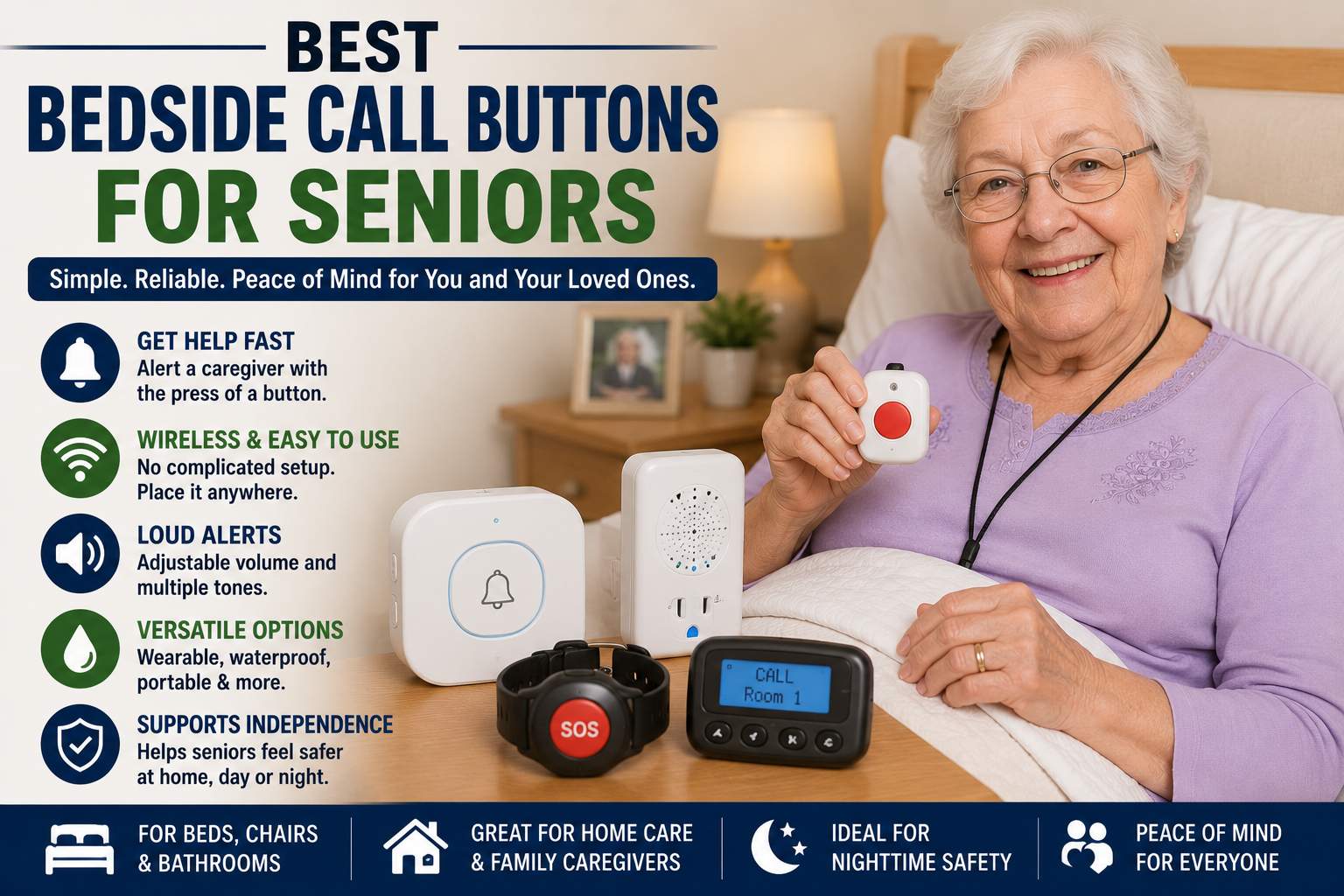
A bedside call button can help seniors get a caregiver’s attention quickly from a bed, recliner, bathroom, bedroom, or living room. These devices are especially useful for older adults who live with family, have a caregiver in the home, or need help during the night.
For many seniors, calling out for help may not be loud enough. A caregiver may be in another room, downstairs, outside, asleep, or unable to hear clearly. A wireless call button gives the senior a simple way to press one button and alert the caregiver.
Most bedside call buttons include a button for the senior and a receiver for the caregiver. Some systems include plug-in receivers, portable pagers, wrist buttons, necklace-style buttons, waterproof buttons, flashing lights, adjustable volume, and multiple ringtones.
Bedside call buttons work well with other senior safety products like bed rails for seniors, motion sensor night lights, large-button phones for seniors, medication reminder devices for seniors, and digital clocks for seniors with dementia.
Below are some of the best bedside call buttons for seniors.
Quick Picks: Best Bedside Call Buttons for Seniors
| Product | Best For |
|---|---|
| FullHouse Wireless Caregiver Pager Call Button | Best overall bedside call button |
| STECHRO Wireless Caregiver Pager Call Button | Best simple one-button system |
| CallToU Wireless Caregiver Pager Call Bell | Best plug-in receiver call button |
| TECKNET Wireless Caregiver Pager | Best long-range basic alert system |
| CallToU Dual-Receiver Caregiver Pager | Best system with plug-in and portable receiver |
| GREETMED Wireless Caregiver Pager Call Button System | Best budget multi-button option |
| SINGCALL Wireless Caregiver Pager Call Button | Best senior-friendly SOS button system |
| METAK Caregiver Pager Wireless Call Button | Best expandable call button system |
1. FullHouse Wireless Caregiver Pager Call Button
Best for: Seniors who need a dependable call button with long range
The FullHouse Wireless Caregiver Pager Call Button is designed to help elderly adults, disabled users, patients, and people recovering at home call for help without yelling.
This type of system can be useful near a bed, recliner, bathroom, or favorite chair. When the senior presses the button, the caregiver receiver sounds an alert so someone nearby can respond.
It is a good choice for families who want a simple in-home alert system without a monthly fee.
Why seniors may like it:
- Wireless caregiver pager system
- Simple SOS call button
- Good for elderly, disabled, or recovering adults
- Helpful for bedrooms, bathrooms, and living rooms
- No monthly fee
- Useful for family caregivers at home
Important safety note:
This is not the same as a monitored medical alert system. It alerts someone nearby in the home, not 911.
Best choice for:
Seniors who need a simple bedside call button for help at home.
2. STECHRO Wireless Caregiver Pager Call Button
Best for: Seniors who want a very simple button and receiver set
The STECHRO Wireless Caregiver Pager Call Button is a simple system with one SOS button and one receiver. This is a good option for seniors who only need one alert button near the bed, bathroom, or recliner.
The large button style can be easier for seniors to press than trying to use a small phone or yell across the house. It may be helpful for elderly adults, patients, and people who need assistance from a caregiver.
This is a practical choice for smaller homes, apartments, bedrooms, and caregiver-monitored spaces.
Why seniors may like it:
- One SOS button and one receiver
- Simple design
- Good for bedside use
- Helpful for seniors at home
- Easy for caregivers to understand
- Good starter call button system
Important safety note:
Test the button and receiver before relying on it. Make sure the caregiver can hear it from the rooms where they spend time.
Best choice for:
Seniors who need one easy call button and one caregiver receiver.
3. CallToU Wireless Caregiver Pager Call Bell
Best for: Seniors who want a plug-in receiver and waterproof transmitter
The CallToU Wireless Caregiver Pager Call Bell is a popular caregiver alert system with a plug-in receiver and waterproof call button transmitter.
This can be helpful for seniors who need a call button near the bed, shower area, bathroom sink, recliner, or kitchen. A plug-in receiver can stay in one location so the caregiver knows where to listen for the alert.
The call button can often be worn, mounted, or placed within reach depending on the senior’s needs.
Why seniors may like it:
- Plug-in caregiver receiver
- Waterproof call button transmitter
- Good for bedroom or bathroom use
- Simple call bell design
- Useful for seniors and patients
- Good for home caregiver support
Important safety note:
Even if a button is waterproof or water-resistant, always check the product instructions before using it near showers or sinks.
Best choice for:
Seniors who want a dependable plug-in call button system for home use.
4. TECKNET Wireless Caregiver Pager
Best for: Seniors who need a long-range call button system
The TECKNET Wireless Caregiver Pager is designed as a simple SOS call button system for seniors, patients, pregnant women, disabled adults, and people who may need help at home.
It is designed for plug-and-play use, with a wireless call button and receiver. The long-range alert can be helpful in homes where the caregiver may be in another room, the kitchen, garage, laundry area, or yard.
This can be a good option for seniors who need a basic alert button without a complicated setup.
Why seniors may like it:
- Wireless SOS call button
- Plug-and-play style setup
- Long-range alert support
- Good for seniors and disabled adults
- Helpful for caregivers in another room
- Simple home safety device
Important safety note:
Wireless range can be affected by walls, distance, and home layout. Test it from every room where the senior may press the button.
Best choice for:
Seniors who need a long-range caregiver alert button for home use.
5. CallToU Dual-Receiver Caregiver Pager
Best for: Homes where caregivers need both plug-in and portable alerts
The CallToU Dual-Receiver Caregiver Pager includes a plug-in receiver and a portable pager-style receiver. This can help caregivers hear or feel an alert whether they are in a fixed room or moving around the home.
A dual-receiver system may be better than a single plug-in receiver for larger homes, two-story homes, or caregivers who move between the kitchen, bedroom, living room, laundry room, or backyard.
This type of system is helpful when the caregiver does not stay in one place all day.
Why seniors may like it:
- Includes plug-in and portable receiver options
- Good for larger homes
- Helpful for caregivers who move around
- Good for bedroom and bathroom call buttons
- Can help reduce missed alerts
- Useful for home care routines
Important safety note:
Portable pagers need to stay charged or powered. Check them often so the system works when needed.
Best choice for:
Families who want both a stationary receiver and a portable caregiver pager.
6. GREETMED Wireless Caregiver Pager Call Button System
Best for: Seniors who want a budget-friendly system with two transmitters
The GREETMED Wireless Caregiver Pager Call Button System includes one receiver and two transmitter buttons. This can be useful if the senior needs one button by the bed and another in the bathroom, recliner area, or kitchen.
A two-button system gives better coverage than a single button system, especially for seniors who move between rooms during the day.
This may be a good lower-cost option for families who want more than one button without buying a larger kit.
Why seniors may like it:
- One receiver and two call buttons
- Good for bedroom plus bathroom setup
- Multiple melody options
- Simple SOS alert design
- Useful for elderly and disabled adults
- Good budget multi-button option
Important safety note:
Label or place each button clearly so the senior knows which one to press and caregivers know where help may be needed.
Best choice for:
Seniors who need two call buttons in different rooms.
7. SINGCALL Wireless Caregiver Pager Call Button
Best for: Seniors who want a simple SOS button from a known caregiver-pager brand
The SINGCALL Wireless Caregiver Pager Call Button is designed for elderly adults, disabled users, handicapped users, patients, and people who may need help quickly from another person nearby.
The emergency button can often be carried, worn, or mounted where it is easy to press. This can make it useful near a bed, favorite chair, bathroom, kitchen, or wheelchair area.
This is a good option for families who want a simple caregiver pager system for daily home support.
Why seniors may like it:
- Simple SOS button design
- Can be carried, worn, or placed nearby
- Good for elderly and disabled users
- Helpful for home caregiver support
- Useful near beds, chairs, and bathrooms
- Easy to understand
Important safety note:
A call button only helps if it is within reach. Consider using more than one button in the home.
Best choice for:
Seniors who want a simple SOS button system for calling a nearby caregiver.
8. METAK Caregiver Pager Wireless Call Button
Best for: Seniors who may need an expandable call button system
The METAK Caregiver Pager Wireless Call Button is designed for elderly adults, seniors, patients, nurses, disabled users, and home monitoring. It is a simple medical alert-style call button system for in-home use.
Some METAK systems are designed to support longer range and expansion with additional buttons or receivers. This can be helpful for larger homes or caregiving setups that may grow over time.
This may be a good choice for families who want a call button system that can support more than one room or more than one receiver.
Why seniors may like it:
- Wireless caregiver pager design
- Good for elderly and patient monitoring
- Medical alert-style call button
- Useful for larger homes
- Expandable on some models
- Good for family caregiver support
Important safety note:
If buying extra buttons or receivers later, make sure they are compatible with the same METAK system.
Best choice for:
Seniors who need a caregiver pager system that may expand to more rooms over time.
Why Bedside Call Buttons Are Helpful for Seniors
Bedside call buttons can help seniors ask for help without yelling, reaching for a phone, or trying to walk alone when it may not be safe.
A bedside call button may help seniors with:
- Fall risk
- Weakness
- Recovery after surgery
- Nighttime bathroom needs
- Dementia or confusion
- Limited mobility
- Stroke recovery
- Parkinson’s
- Caregiver support at home
For seniors who need safer bed mobility, see our guide to bed rails for seniors.
Bedside Call Button vs Medical Alert System
A bedside call button and a medical alert system are not the same thing.
Bedside call button:
Usually alerts a caregiver, family member, or receiver inside the home.
Medical alert system:
Usually connects to a monitoring center, emergency contacts, or emergency services depending on the plan.
Large-button phone:
Lets the senior call family, caregivers, doctors, or emergency numbers directly.
If the senior lives alone or may need emergency help when no caregiver is home, a monitored medical alert system may be safer than a basic caregiver call button.
How to Choose the Best Bedside Call Button for Seniors
1. Decide who needs to hear the alert
If a caregiver stays in one room, a plug-in receiver may be enough. If the caregiver moves around the home, a portable pager may be better.
2. Think about where buttons are needed
Good places for call buttons include:
- Bedside table
- Bathroom
- Recliner
- Kitchen
- Hallway
- Wheelchair or walker area
3. Choose the right receiver type
Plug-in receivers are easy to keep in one place. Portable pagers are better for caregivers who move around.
4. Look for adjustable volume
Adjustable volume helps the caregiver hear the alert without making it too loud or startling.
5. Consider lights or flashing alerts
LED lights or strobe-style alerts can help caregivers who are hard of hearing or in noisy rooms.
6. Check range
Wireless range matters, especially in larger homes, homes with thick walls, or two-story layouts.
7. Keep it simple
The best call button is one the senior can understand and press quickly. Avoid systems that are too complicated.
Bedside Call Button Safety Tips
- Test the call button before relying on it.
- Test the button from the bedroom, bathroom, and living room.
- Keep the button within easy reach.
- Use more than one button if the senior moves between rooms.
- Check batteries regularly.
- Keep receivers plugged in or charged.
- Use a loud enough volume for caregivers to hear.
- Do not depend on a caregiver pager as the only emergency plan.
- Consider a monitored medical alert system if the senior is often alone.
- Keep a large-button phone nearby for backup calling.
For easier backup calling, read our guide to large-button phones for seniors.
Best Bedroom Setup With a Call Button
A safer bedroom setup for seniors may include:
- Bedside call button
- Bed rail or support handle
- Motion sensor night light
- Large-button phone
- Digital day/date clock
- Medication reminder device
- Clear path to the bathroom
- Non-slip slippers
- Walker or cane within reach
- Caregiver receiver in the right location
For nighttime fall prevention, see our guide to motion sensor night lights for seniors.
Frequently Asked Questions
What is the best bedside call button for seniors?
The best bedside call button for seniors is easy to press, loud enough for the caregiver to hear, reliable from the needed rooms, and simple enough for the senior to use every day.
Do bedside call buttons call 911?
Most basic caregiver call buttons do not call 911. They usually alert a caregiver receiver inside the home. If emergency monitoring is needed, consider a medical alert system.
Where should a senior call button be placed?
Place call buttons near the bed, recliner, bathroom, and anywhere the senior may need help. The button should be easy to reach without standing up.
Are caregiver pagers good for elderly adults?
Yes, caregiver pagers can be helpful when a senior lives with family or has a caregiver nearby. They can make it easier to ask for help from another room.
Can a call button help prevent falls?
A call button may help reduce risky walking by letting the senior ask for help before getting up. It does not prevent all falls by itself.
Are waterproof call buttons needed?
Water-resistant or waterproof buttons may be helpful in bathrooms, but always check the product details. Bathrooms also need grab bars, non-slip mats, and safe lighting.
Should I choose a plug-in receiver or portable pager?
Choose a plug-in receiver if the caregiver stays near one area. Choose a portable pager if the caregiver moves around the home.
How many call buttons should a senior have?
Many seniors benefit from at least two or three buttons: one by the bed, one in the bathroom, and one near a favorite chair.
Can seniors with dementia use call buttons?
Some seniors with dementia can use simple call buttons, especially with practice and clear placement. Others may forget to press the button and need closer supervision.
What else helps seniors stay safer at night?
Helpful products include bedside call buttons, bed rails, motion sensor night lights, large-button phones, non-slip slippers, walkers, and clear bathroom pathways.
Final Thoughts
A bedside call button can give seniors a simple way to ask for help from a bed, recliner, bathroom, or favorite chair.
For many homes, a wireless caregiver pager with one or more call buttons is a good starting point. Larger homes may need multiple receivers or portable pagers. Seniors who live alone may need a monitored medical alert system instead of only a caregiver call button.
Before buying, think about who needs to hear the alert, where buttons should be placed, whether the caregiver needs a portable pager, how loud the alarm should be, and whether emergency monitoring is needed.
The right bedside call button can support safer care, faster caregiver response, and more peace of mind for seniors and families.
Product Links
| Product | Link |
|---|---|
| FullHouse Wireless Caregiver Pager Call Button | CHECK PRICE ON AMAZON |
| STECHRO Wireless Caregiver Pager Call Button | CHECK PRICE ON AMAZON |
| CallToU Wireless Caregiver Pager Call Bell | CHECK PRICE ON AMAZON |
| TECKNET Wireless Caregiver Pager | CHECK PRICE ON AMAZON |
| CallToU Dual-Receiver Caregiver Pager | CHECK PRICE ON AMAZON |
| GREETMED Wireless Caregiver Pager Call Button System | CHECK PRICE ON AMAZON |
| SINGCALL Wireless Caregiver Pager Call Button | CHECK PRICE ON AMAZON |
| METAK Caregiver Pager Wireless Call Button | CHECK PRICE ON AMAZON |